Using the OBDTool to Program Remote Windows
| Prior Experience: None |  |
| Cost: approx $90 or Free | |
| Time: 5 minutes |
| Discuss this mod - Here | |||||||||||||||
|
Many people know that the OBDTool can be used with the Vag-Com software (registered version) to enable the windows on the A4 to operate via the remote key FOB. With a couple coding changes you can get the windows to open via remote, and close the windows and sunroof via remote. This tutorial will show you how to use the OBDTool to accomplish this. | |||||||||||||||
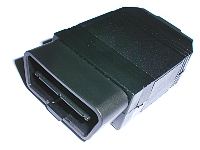
SUPPLIES - The only thing I needed for this was the Vag-Com software and an OBD interface. I happened to use the OBDtool www.obdtool.com dongle since It is considerably cheaper. And works just as well. Although it is not needed for this particular mod, I suggest getting the dual K line OBDtool since it is only $10 more than the standard one. You will use it in other mods. |
|||||||||||||||
|
|||||||||||||||
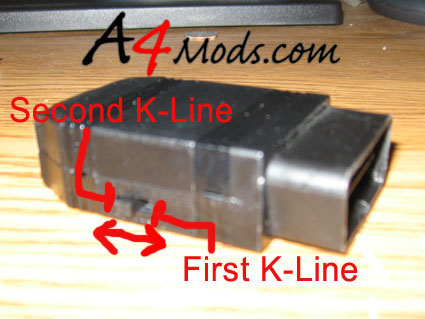
Step 1 -The first thing you need to do is switch your OBDtool to read the first K-line. This is done by switching the switch on the side Towards from the OBDII connector (towards the serial connector). |
|||||||||||||||
 |
|||||||||||||||
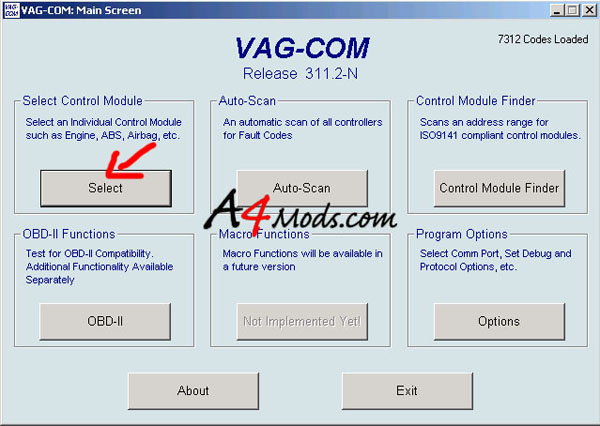
Step 2 -Connect the OBDtool to the OBDII port of the car (located under the driver's knee bolster). Boot up the Vag-Com Software click "Select" under Select Control Module |
|||||||||||||||
 |
|||||||||||||||
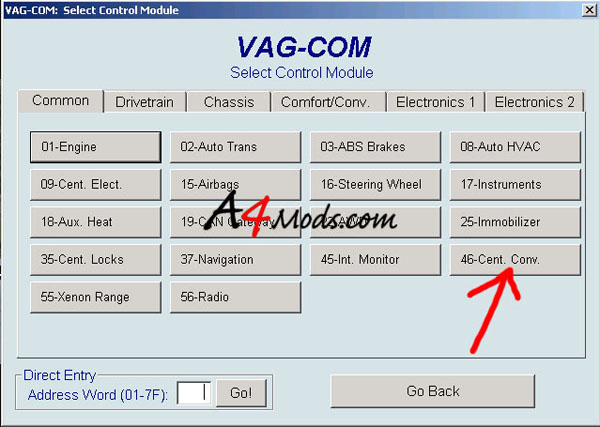
Step 3 -Select control module 46 - Central Convenience |
|||||||||||||||
 |
|||||||||||||||
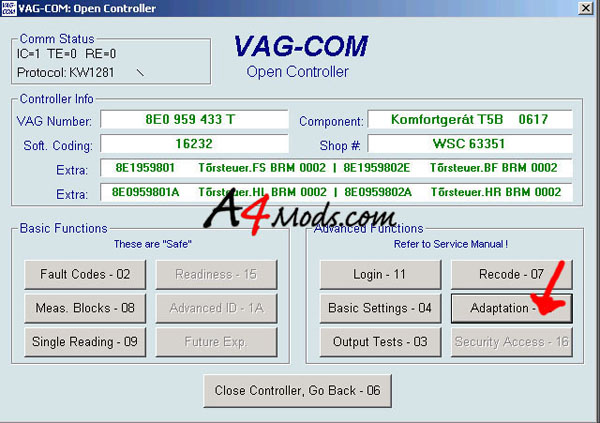
Step 4 - Click Adaptation |
|||||||||||||||
 |
|||||||||||||||
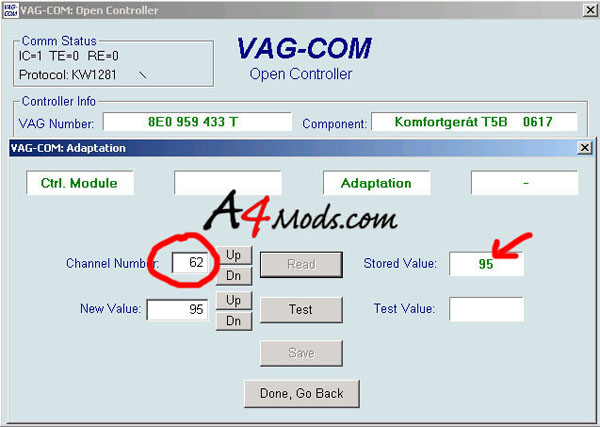
Enter adaptation number 62 and click READ. A value of 95 should show up |
|||||||||||||||
 |
|||||||||||||||
The value of 95 in adaptation channel 65 is important. To understand this value, investigate the following table: State Bit Dec. Function Referring to the table above: The value 95 is the decimal representation of the options you choose from the table above. A simple binary to hex conversion is needed to determine the value you want (although I have already told you it is 95). Example Explained: If you want the windows to go up with the remote, you want Bit 0 to be ON. Similarly, if you want the windows to go down with the remote you want Bit 1 to be ON. These 'Bits' are the bits in the binary number. If you are not familiar with binary, do not fear. The decimal representation for each bit is also given in the table above. Therefore, if you want ONLY the windows to go up with the remote, you would have a decimal number of 1. If you want ONLY the windows to go down with the remote, you would use a decimal number of 2. But what if I want both options??! -> Just add the decimal values together! If you check the math, the number 95 I have given you gives you the options which are labeled as ON in the left column. I have chosen to leave OFF bits 5 and 7 because they don't seem to work anyway. Check the math: 1 + 2 + 4 + 8 + 16 + 64 = 95! I am going to work on some simple web based app to do this all for you, I just haven't had time yet. I'm sure you can figure this out though. If you do not have a value of 95 present, enter 95 in the New Value column and press Test. Then press Save. When 95 has been programmed, press Done, Go Back. Step 5 -In order to activate the adaptation you just programmed, we need to recode the controller. Go back to the previous screen and press Recode. |
|||||||||||||||
 |
|||||||||||||||
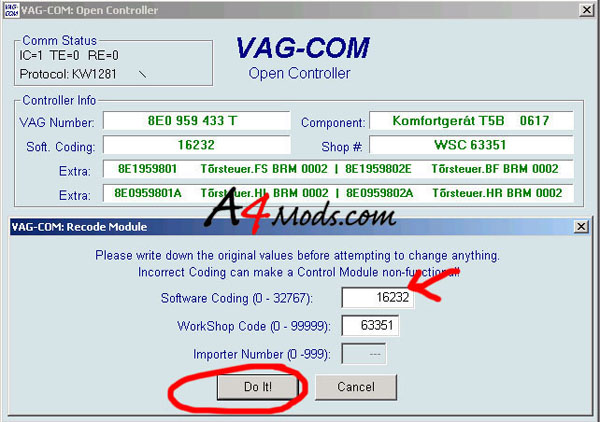
Step 7 - To choose the correct number to code, follow the discussion/table below: FIRST write down the number currently displayed so you can always go back! State Bit Dec. Function This coding allows you to enable several features which you may want. With the coding of 16232 I have the options depicted in the table above selected. Note 16232 corresponds to a binary number of 11111101101000 (simple decimal to binary conversion can be done in Calculator on windows platforms) You read this from right to left. The 3 zeros on the right correspond to the first 3 bits (bit 0, bit 1, bit 2) reading OFF in the table. Then bit 3 is on, bit 3 off, etc. This value gives me the following: If you want different options, just figure out the decimal representation of the options you would like. You can start from your current value and simply add or subtract the decimal number you do not want. I.E. If you number is 1000, and all you want is the remote features, just add 64 to that and program 1064 into the controller. SIMPLE! Enter the appropriate value and press DO IT! |
|||||||||||||||
 |
|||||||||||||||
|
|||||||||||||||
After that is done, test and enjoy your new remote windows and other features!
|
|||||||||||||||